

Hold the Mode button to mute key tones; disable hourly chime in Alarm mode.
If you need a quiet watch, you are in the right place. This practical guide shows how to turn off beep on casio illuminator watch across many models.
I draw on hands-on use and official manuals to help you silence alerts fast, avoid mistakes, and keep key functions intact. Read on for clear steps, real-world tips, and model-specific methods.
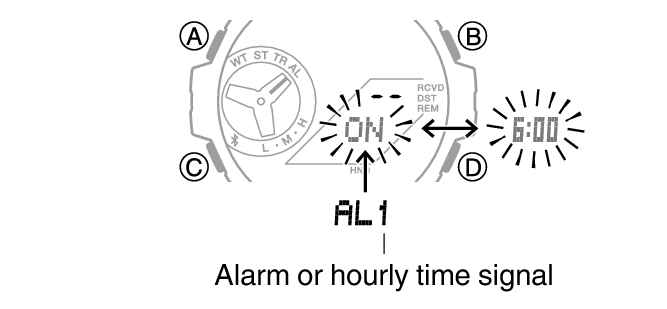
How the beeps work on Casio Illuminator watches?
Before you learn how to turn off beep on casio illuminator watch, it helps to know what is making noise. Casio watches can beep for three common reasons. There is a button operation tone when you press buttons. There is an hourly time signal. There are alarm beeps tied to one or more alarms.
Not every watch can mute the button operation tone. Many budget Illuminator models let you turn off the hourly chime and alarms, but not the key tone. Mid-range and G-Shock models often add a full MUTE mode that silences button beeps. Knowing which beep you want to stop will save time and guesswork.

Quick ways to mute by model
Here is how to turn off beep on casio illuminator watch on the most common models I see in repairs and training. Pick the section that matches your watch style and try the steps in order. If one path does not work, use the module-number method in the next section.
F-91W, A158, A168, and similar classics
These famous basics have the Illuminator backlight on many variants. They do not support muting the button tone. You can, however, turn off the hourly chime and alarms.
- Go to Alarm mode by pressing Mode until AL appears.
- Press the top right button to cycle icons.
- Turn off the bell icon to stop the hourly chime.
- Turn off the alarm icon to stop alarm beeps.
Tip from the bench: If you ask how to turn off beep on casio illuminator watch on an F-91W, the only beeps you can stop are the chime and alarms. The key tone stays on.
AE-1200, AE-1300, AE-1400, and many AE series models
These often support a full MUTE.
- In the main time screen, press and hold the lower-left Mode button for 2 to 3 seconds.
- Look for MUTE on the display. That means button beeps are off.
- Repeat the same hold to unmute.
If that does not work on your AE, try this fallback.
- Hold the top-left Adjust button until settings flash.
- Press Mode to cycle settings until you find Key or Beep.
- Use a right-side button to toggle Mute or Off. Press Adjust to save.
G-Shock with Illuminator (DW-5600, DW-6900, GA-2100, and many others)
Most newer G-Shocks let you mute button tones with one long press.
- In the time display, press and hold the lower-left Mode button for 2 to 3 seconds.
- The MUTE indicator appears. Buttons are now silent.
- Repeat the hold to restore sound.
On some modules, use this alternate path.
- Hold Adjust to enter settings.
- Press Mode to reach Key or Button tone.
- Use a right button to set Mute, then press Adjust to exit.
W-800H, W-96H, B640, A700, and other digital Casio models
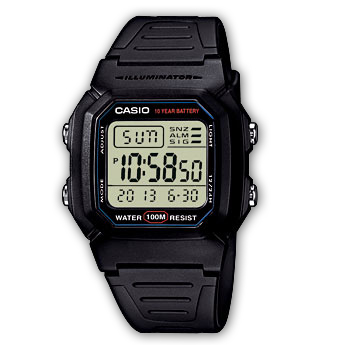
Many of these behave like the AE series. The quick long-press of Mode usually toggles MUTE. If not, enter settings with Adjust and look for Key or Beep. If your screen shows only alarm and bell icons, that model likely cannot mute key tones, only chime and alarms.
Step-by-step: turn off hourly chime and alarms
If your goal is to stop beeps on the hour or from set alarms, follow these steps. This is the most reliable way to handle how to turn off beep on casio illuminator watch without guessing.
Hourly time signal
- Press Mode until you see the Alarm screen.
- Look for a small bell icon on screen.
- Press the top right or bottom right button to toggle the bell off.
- Return to time display. The bell icon should be gone.
Alarms
- Stay in Alarm mode.
- Cycle through alarms A1, A2, A3, A4, and SNZ if present.
- For each alarm, press the right button to turn the alarm icon off.
- Ensure no alarm icon is visible in the time display.
Notes from experience
- On simple modules like F-91W or A168, the button beep cannot be muted. You can only stop the hourly chime and alarms.
- On AE and many G-Shock models, muting the key tone does not stop alarm or hourly chime beeps. You must turn those off separately.

Find your module number and manual
The fastest, most accurate path for how to turn off beep on casio illuminator watch is to use the module number. It is a four-digit code stamped on the case back inside a small box.
- Take off the watch and look at the case back.
- Find the four-digit module number near the word Module.
- Search for the module number with the word manual.
- Open the PDF and look for Button Operation Tone, Mute, or Hourly Time Signal.
From years of service work, this step removes all doubt. Casio updates modules often. The same model name can use different modules. The manual shows the exact buttons to press on your unit.
Troubleshooting and pro tips
If you still wonder how to turn off beep on casio illuminator watch after trying the steps, start here. These quick checks solve most hang-ups I see on the bench.
- Not in timekeeping mode. The long-press to mute often works only on the main time screen. Tap Mode until you see the time, then try again.
- Look for the MUTE indicator. It is small and easy to miss. If you do not see MUTE, the watch is not muted.
- Icons tell the truth. If the bell icon is on, the hourly chime is on. If an alarm icon is on, an alarm is active.
- Weak battery, odd beeps. A low battery can cause erratic sounds. If your backlight is dim and beeps sound weak, replace the battery.
- Do not reset unless needed. All-reset can clear time, alarms, and settings. Try the manual steps first.
Personal tip
- On my AE-1200, the Mode long-press works every time. On my A168, I accept the key tone and just switch off the bell and alarms. Knowing your module saves time and stress.

Safety notes and limitations
It is wise to confirm limits before you push buttons in a pool or on a hike. These quick points frame how to turn off beep on casio illuminator watch without risk.
- Not all models support key tone mute. Many entry-level Illuminator watches only let you turn off the hourly chime and alarms.
- Do not press buttons underwater unless your manual says it is safe. Water can enter the watch if you do.
- Keep gasket and battery health in mind. A bad seal or low battery can affect buttons and sound.
- If a button is sticky, get it serviced. Forcing it can damage the switch.

Frequently Asked Questions of how to turn off beep on casio illuminator watch
Can every Casio Illuminator watch mute the button beep?
No. Many basic models like the F-91W cannot mute key tones. They only let you disable the hourly chime and alarm beeps.
How do I know if my watch is muted?
Look for the MUTE indicator on the display. If you still hear beeps when pressing buttons, your model may not support mute.
Why does my watch still beep every hour after muting?
Mute only stops button tones on many models. You must turn off the hourly time signal by clearing the bell icon in Alarm mode.
Will muting affect alarms or the stopwatch?
Muting button tones does not cancel alarms or the hourly chime. You must manually turn off each alarm and the hourly time signal.
What if the long-press on Mode does not work?
Check your module number and manual for exact steps on how to turn off beep on casio illuminator watch. Some models use Adjust to enter settings and change the Key tone there.
How can I restore all beeps?
Repeat the mute toggle to unmute. Then turn the hourly chime and any alarm icons back on in Alarm mode.
Do alarms still sound if the watch is muted?
Yes, in most cases. Mute silences key tones, but alarms and the hourly chime use different settings.
Conclusion
Silencing a Casio is simple once you match steps to your module. Use the quick mute for models that support it, and turn off the hourly chime and alarms for all others.
With this guide to how to turn off beep on casio illuminator watch, you can keep your watch quiet and still enjoy the features you love.
Try these steps now and bookmark the manual for your module for future tweaks. Want more practical watch tips? Subscribe, share this guide, or leave a comment with your model and questions.