

Hold Adjust, use Mode to cycle, change with Start/Stop, save with Adjust.
If you want a simple, reliable way to master how to set time on a casio digital watch, you are in the right place. I work on these watches often, from classic F-91W units to rugged G-Shocks.
This guide blends hands-on steps, expert tips, and real fixes for common mistakes. Follow along and you will set your time right, every time.
What to know before you start?
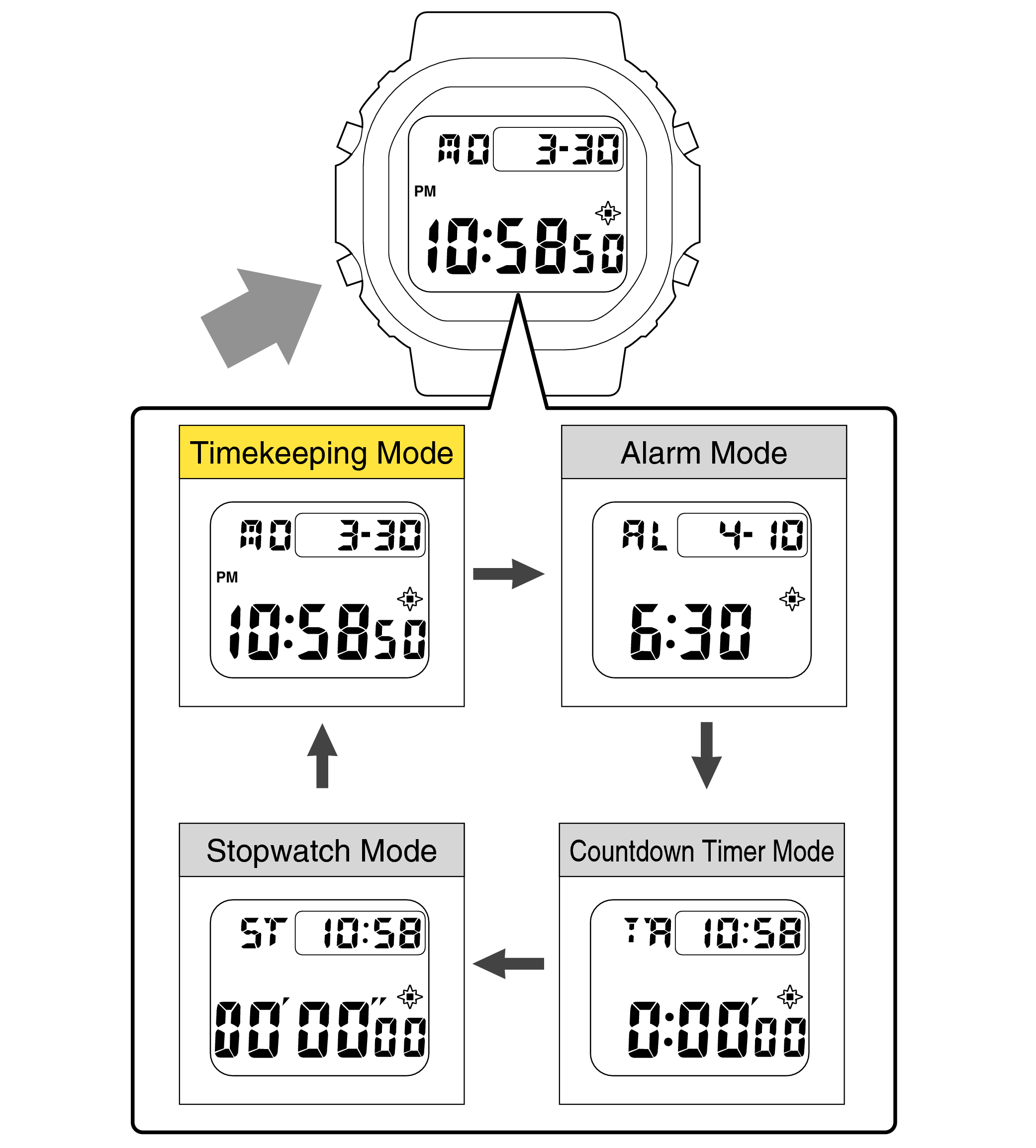
Casio digital watches share a core layout. The labels vary by model, but the logic is the same.
- Adjust. Upper-left button. It enters and exits setting mode.
- Mode. Lower-left button. It moves through functions like Time, Alarm, Timer.
- Start/Stop or Forward. Upper-right button. It increases a value.
- Split/Reset or Reverse. Lower-right button. It decreases a value or toggles.
Button names can differ. You may see Light, Search, Set, or A/B/C/D letters. If your watch is solar, atomic, Bluetooth, or has world time, there may be extra steps. That said, the base method below still works on most models.
Tip from the bench: press buttons with a firm, even press. Short taps move fields. Long holds enter modes.

Universal method: how to set time on a Casio digital watch
Use this quick process on most Casio digital watches. It covers everyday models and many G-Shocks.
- Go to Timekeeping mode. Press Mode until you see the main time screen.
- Press and hold Adjust. Hold for 2 to 5 seconds until the seconds or city code flashes.
- Choose what to change. Press Mode to cycle fields in order. You may see seconds, DST, city, hour, minute, year, month, day, 12/24h.
- Change values. Press Start/Stop to increase. If your model supports it, press Split/Reset to decrease.
- Save. Press Adjust once to exit setting mode.
Practical example: On a classic F-91W, hold Adjust until the seconds flash. Press Mode to reach hours. Use Start/Stop to set hours. Press Mode to minutes. Set minutes. Press Adjust to save. You are done.
On many G-Shocks, the first item is the home city code. Pick your city first, then set time. This helps world time and DST work right.
If your watch only goes forward, loop around. It is faster than trying to force a reverse that your model does not support.
Model-specific notes and variations
G-Shock digital models
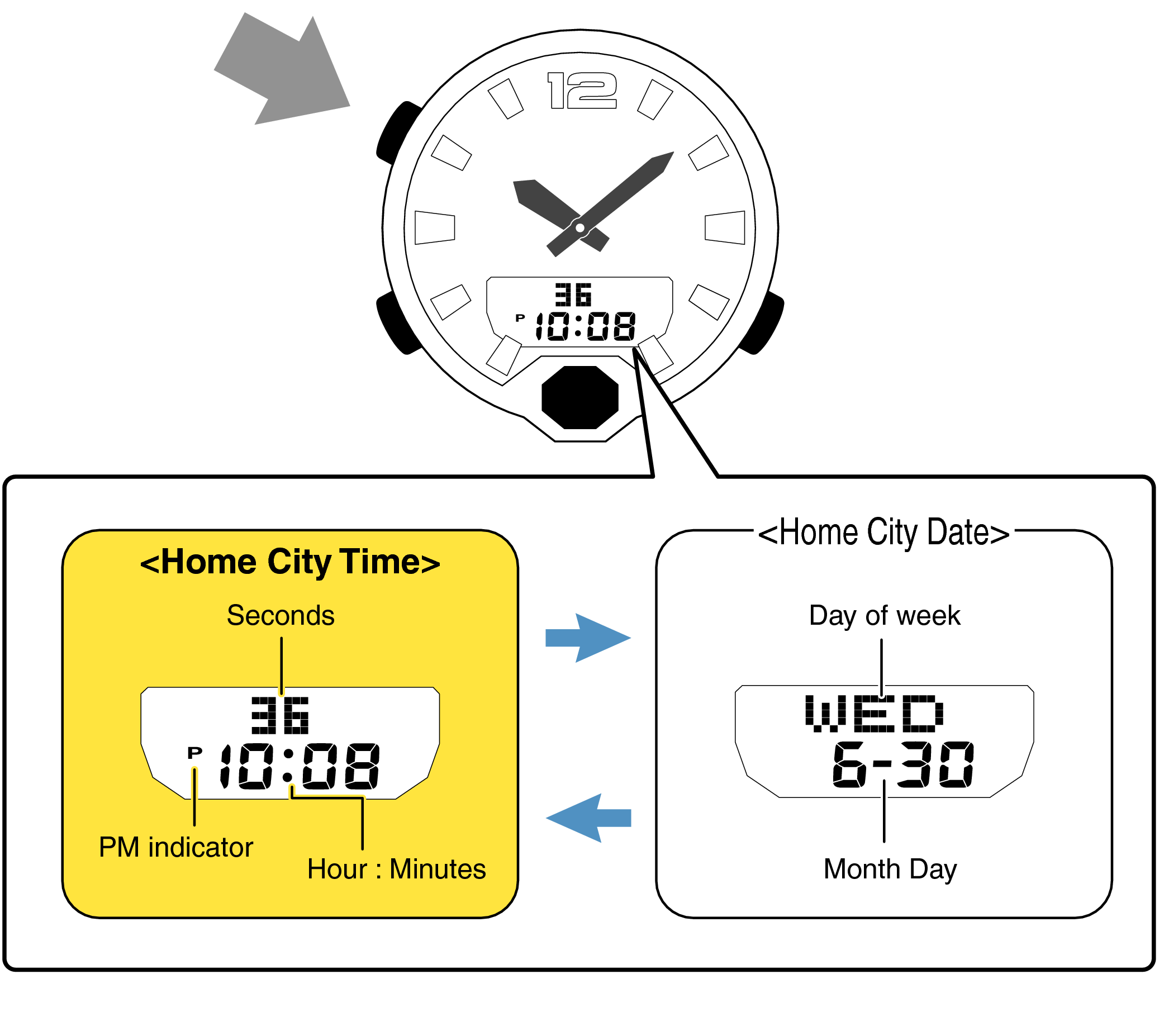
Many G-Shock units use A/B/C/D labels or four-corner buttons. The flow stays the same. Adjust enters settings. Mode moves between fields. Forward and Reverse change values. Some models have both Forward and Reverse. Use them to set time faster.
Tip: If the watch has Multi-Band 6 or Bluetooth, manual time setting may be locked after sync. Turn off auto-sync if you want to set time by hand, then turn it back on.
Casio F-91W and similar classics
Hold Adjust until the seconds flash. Mode cycles fields. Start/Stop changes values. There is no reverse, so keep tapping to loop around. It is simple and very fast once you try it.
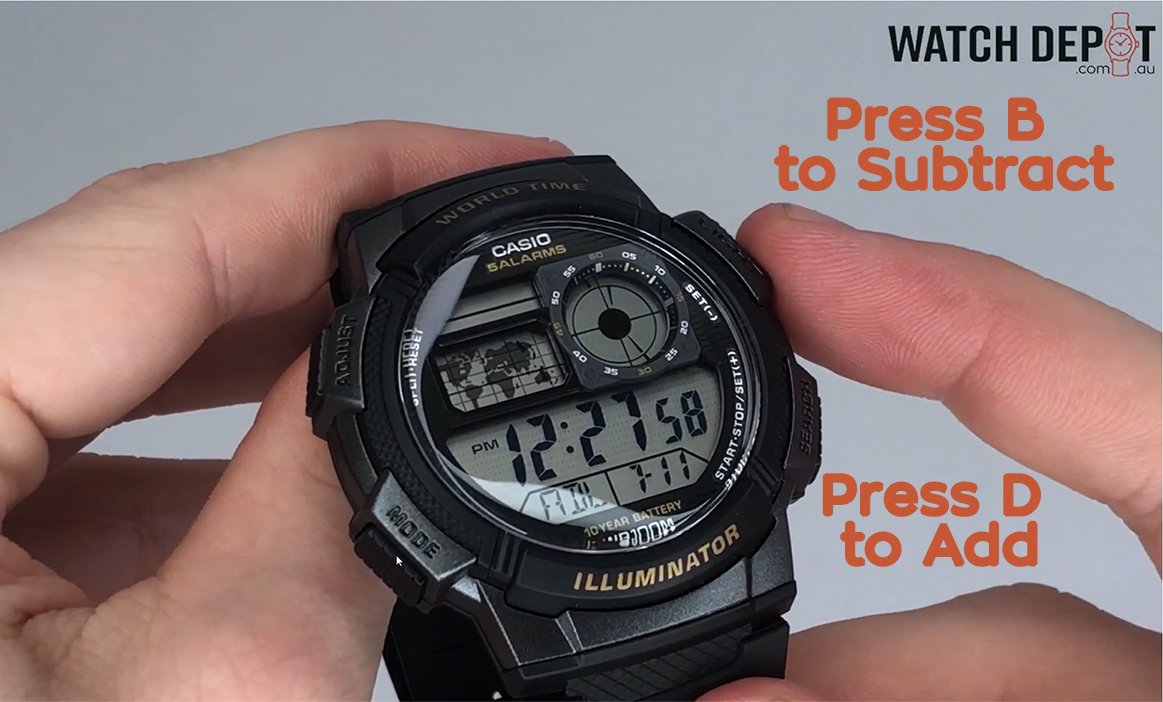
Casio AE-1200 “World Time”
The first field is the home city. Pick your city before you set the hour and minute. If DST is on by default, toggle it as needed. This keeps world time maps correct.
Illuminator and W-series
Controls match the classic layout. Light is often upper-right and does not change values. Use Start/Stop and Split/Reset where shown on the bezel.
If you are unsure, check the module number on the case back. Search that module number to find the manual and confirm the steps.

Extra settings while you set time
You can do more than set hours and minutes. Watch for these options as you cycle fields.
- Seconds. Reset to 00 when seconds flash. Press Start/Stop to zero them.
- DST. Toggle Daylight Saving Time on or off. If your city uses DST, turn it on.
- Home city or time zone. Pick a city that matches your region. This matters for world time and auto sync.
- 12/24-hour format. Choose the one you prefer. 24-hour mode avoids AM/PM mistakes.
- Year, month, day. Set these so weekday and calendars show right.
- Key tone and light options. Some models let you mute beeps or set auto light while in settings.
For travel, change your home city instead of hand-setting hours. It is faster and keeps alarms and timers aligned.
Troubleshooting and mistakes to avoid
- Buttons do nothing. You may not be in Timekeeping mode. Press Mode until the time screen shows, then try Adjust again.
- Adjust does not enter settings. Hold longer. Some units need a 3 to 5 second hold. If it still fails, the watch might be in a locked state after sync.
- Time drifts often. Weak battery or magnetic exposure can cause drift on old models. On radio or Bluetooth models, enable auto-sync for accuracy.
- Wrong city equals wrong time. If your hours look off by one, check DST and home city first.
- Water concerns. Do not set time in a hot shower or sauna. Heat and pressure can stress gaskets.
From experience, the biggest error I see is skipping the home city field on world time models. Set that first. It solves many “my time is off” issues without extra work.
Care, battery, and water resistance during setting
Keep your watch healthy while you learn how to set time on a casio digital watch.
- Battery. If the display fades or alarms sound weak, replace the battery soon. On solar units, charge under indirect light. Avoid high heat.
- Gaskets. Setting the time does not reduce water resistance. Opening the case does. Let a pro handle seals during battery changes.
- Button care. Rinse the watch in fresh water after salt or sweat. Press buttons under fresh water to clear grit, but not underwater unless rated for it.
These habits keep your watch robust and the time true.
Quick reference checklist for how to set time on a Casio digital watch
- Enter Timekeeping mode.
- Hold Adjust until flashing starts.
- Press Mode to move through fields.
- Use Start/Stop to raise values. Use Split/Reset to lower if available.
- Set home city and DST first on world time models.
- Pick 12/24-hour format.
- Press Adjust to save and exit.
Bookmark this list. It is the fastest way to remember how to set time on a casio digital watch.

Frequently Asked Questions of how to set time on a casio digital watch
Why can’t I enter setting mode on my Casio?
You may be in the wrong mode or not holding Adjust long enough. Return to the main time screen and hold Adjust for 3 to 5 seconds.
How do I switch between 12-hour and 24-hour format?
Enter setting mode and cycle with Mode until you see the format option. Press Start/Stop to toggle between 12-hour and 24-hour.
My G-Shock sets time by itself. Can I still set it manually?
Yes, but auto-sync may override your manual set. Turn off auto-sync, set the time, then re-enable sync if you want automatic updates.
What if my watch only increases numbers and cannot go backward?
Keep pressing to loop around. Many Casio models use forward-only stepping by design.
How do I set the date and day of the week?
Enter setting mode and cycle to year, month, and day. Set these correctly so the weekday auto-calculates.
Why is my time off by one hour after I set it?
Check DST and the home city. A wrong city or DST setting often causes a one-hour shift.
Can I set time underwater?
Avoid pressing buttons underwater unless the watch is rated for it. Even then, it is best to set the time when dry.
Conclusion
You now know how to set time on a casio digital watch with a clear, repeatable method. Start in Timekeeping mode, hold Adjust, move with Mode, change with Start/Stop, and save. Set your home city and DST first for the best results.
Put this into practice on your watch today. If it helped, share this guide, explore more how-tos, or leave a comment with your model and questions.