
Press Mode to ALM, hold Adjust, set hour and minute, press Adjust.
If you need clear steps on how to set alarm on casio g shock, you are in the right place. I work with G-Shock users every day and know the small tricks that matter. This guide gives fast steps, model notes, and pro tips you can trust.

Understanding Your G-Shock Alarm Modes
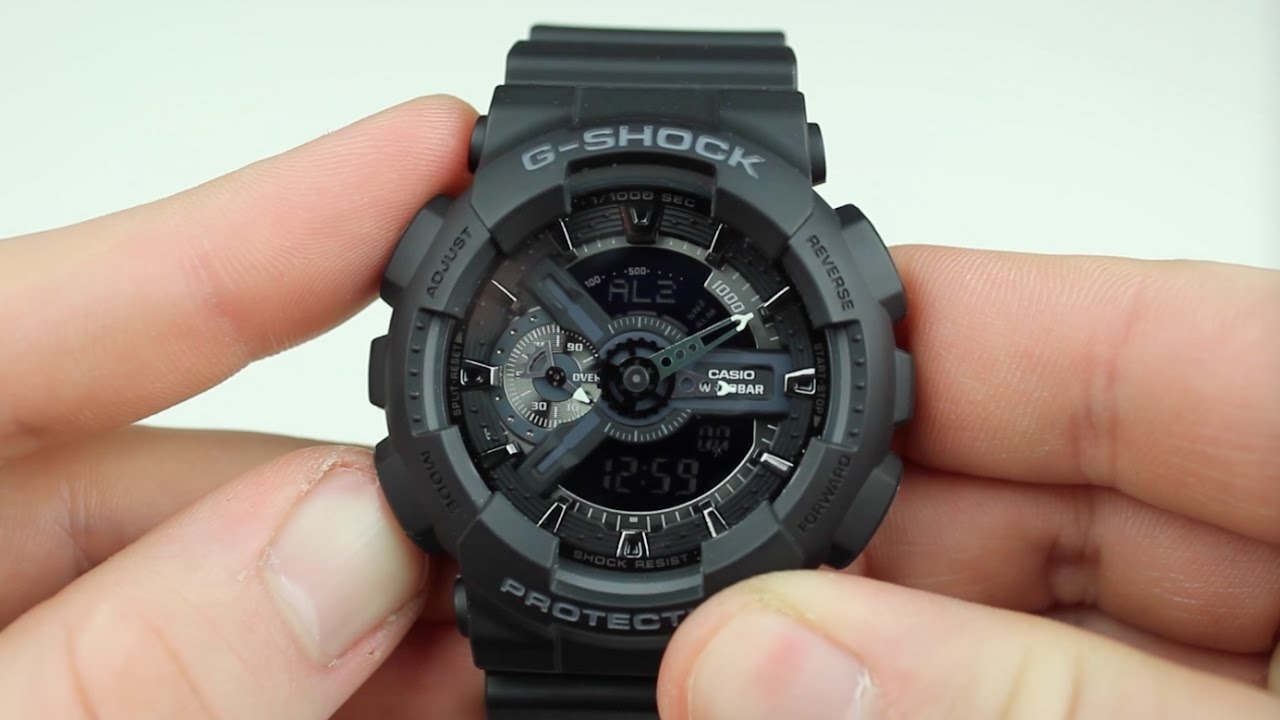
Most G-Shock models include up to five alarms, a snooze alarm, and an hourly signal. You will see ALM on the screen when you enter the alarm mode. You may see AL1 to AL5, SNZ for snooze, and SIG for the hourly beep.
Before you learn how to set alarm on casio g shock, know what each alarm does. A daily alarm rings every day at the set time. A date alarm rings on a set month and day on many models. A snooze alarm repeats every few minutes until you stop it.
On the screen, a bell icon means an alarm is on. An SNZ icon means snooze is on. The hourly signal shows a small “SIG” icon. If an icon is missing, the feature is off.

Step-by-Step: How to Set Alarm on Casio G-Shock
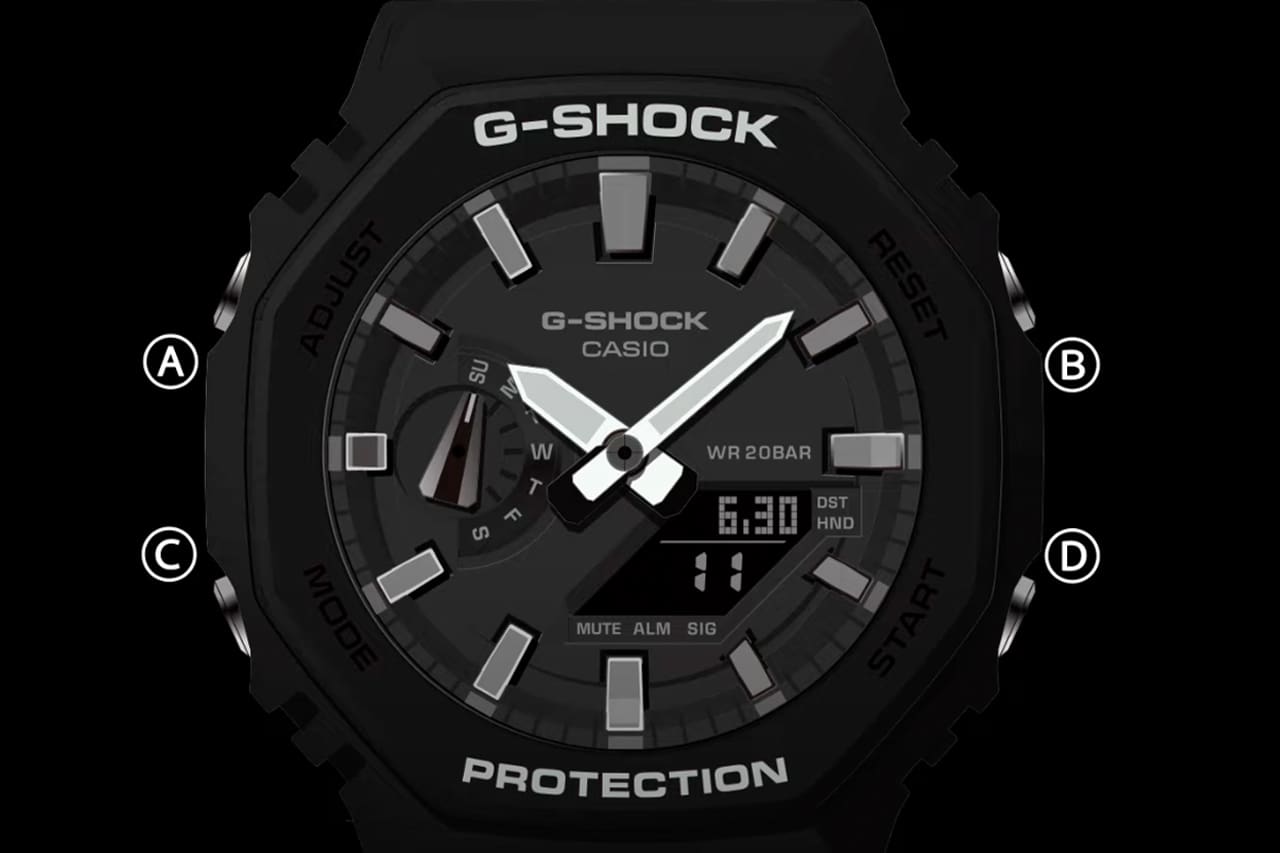
If you want a simple way to learn how to set alarm on casio g shock, follow these steps. The button names can differ by model. On most models: Adjust is top left, Mode is bottom left, Forward is top right, and Reverse or Search is bottom right.
- Start in Timekeeping. Press Mode until you see ALM.
- If you have many alarms, use Forward or Reverse to pick AL1, AL2, and so on. Select SNZ for snooze or SIG for hourly if needed.
- Hold Adjust until the hour digits flash. Now you can set the time.
- Set the hour with Forward or Reverse. Watch the AM or PM if you use 12-hour time.
- Press Mode to move to minutes. Set minutes with Forward or Reverse.
- Some models let you set the month and day. Use Mode to move fields and Forward or Reverse to change.
- Press Adjust to save. That is how to set alarm on casio g shock for most models.
- Toggle the alarm on or off with Forward. Look for the bell icon.
- For snooze, select SNZ and turn it on. The SNZ icon will show.
- Press Mode to leave the alarm screen and return to time.
Pro tip: The alarm follows your 12/24-hour format. If the time mode is wrong, fix it in Timekeeping first. Then set your alarm.

Model-Specific Notes and Common Variations
“How do I handle my exact model?” is a common ask in how to set alarm on casio g shock. Here are quick patterns I see across the lineup.
- Classic square 5600 and 5610 series: A is Adjust, B is Mode, C is Forward, D is Reverse. Hold A to edit. Use B to move fields.
- GA and GD analog-digital: Enter ALM with Mode. Hold Adjust until the screen flashes. Hands may move to clear the LCD. Use Forward and Reverse to set.
- Solar and radio models (GW-M5610, GW-6900): Steps are the same. If the battery is low, alarms may sound weak. Charge in bright light.
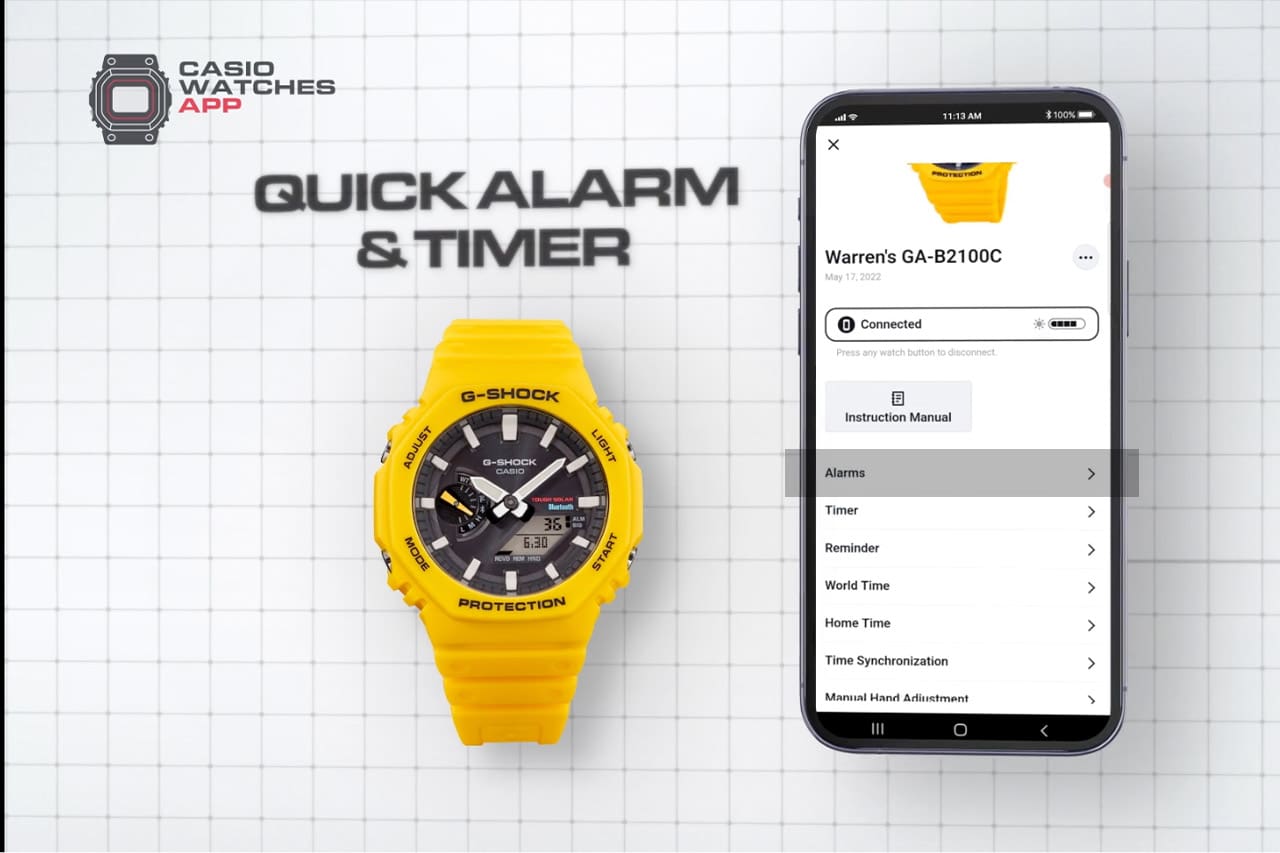
- Bluetooth models (G-Shock Connected or Move): You can set alarms in the app. Open the app, connect the watch, pick Alarm, set time, and sync. This is often the fastest way.
- ABC and Master of G lines: Buttons may be larger, but the logic is the same. Check the manual for any extra alarm types.
If the screen text or button letters differ, do not worry. The flow remains the same. That is why how to set alarm on casio g shock is very consistent across generations.
Practical Tips, Troubleshooting, and Mistakes to Avoid
I set a 5:30 a.m. alarm for runs on a GA model every weekday. These tips come from daily use and helping others with how to set alarm on casio g shock.
- No sound? Check that the bell icon shows. The watch may be in mute mode, which kills button tones, not alarms. Alarms still ring.
- Wrong hour? Confirm 12/24-hour format and DST in Timekeeping. Fix time first, then set the alarm.
- Alarm too quiet? You cannot raise volume. Set two alarms five minutes apart or use SNZ to repeat.
- Alarm did not ring today? If you set a date alarm and that date passed, it may not ring again. Switch to a daily alarm or update the date.
- Battery low? Solar models need light. If Lo shows, charge under strong light until Mid or Hi.
- Underwater use: Do not press buttons underwater. Set your alarm before you swim or dive.
If how to set alarm on casio g shock still feels hard, open the watch’s module PDF. The module number is on the case back. The manual shows the exact icons you will see.

Advanced Alarm Features You Can Use
Along with how to set alarm on casio g shock, learn the add-ons that boost your routine. These features can make a small watch feel very smart.
- Snooze alarm: On many models, SNZ repeats about every five minutes for several cycles. Turn SNZ on in the alarm list. Stop it when you wake.
- Hourly signal: Turn SIG on to get a short beep each hour. It is great for time blocks at work.
- Date-based alarms: On some models, you can set month and day. With both set, it rings on that date only. With month only, it rings that day every month. With day only, it rings every day.
- World Time alarms: A few Bluetooth or high-end models let you add alarms linked to a city time. Use the app for speed and clarity.
- App control: The G-Shock Connected or Move app lets you label alarms. I label “Run,” “Call,” or “Stand up.” It keeps me on task.
When people ask how to set alarm on casio g shock, these extras often seal the deal for daily use.
Care, Battery, and Everyday Use
Alarm use draws very little power. Still, a few habits help. These notes support how to set alarm on casio g shock in real life.
- Charge: For Tough Solar, give your watch daily light. A bright window works well. Avoid heat.
- Clean: Rinse the watch with fresh water after salt water. Dry with a soft cloth.
- Noise: In quiet rooms, the beep is fine. In loud gyms, set two alarms or use SNZ.
- Travel: Change your Home City in Timekeeping. Then your alarms match local time.
- Backup: When the alarm is mission critical, set it on your phone too.
Many users who search how to set alarm on casio g shock also want long life and zero stress. These small steps do both.
Frequently Asked Questions of how to set alarm on casio g shock
Why does my alarm not sound?
Check that the bell icon is on. If the battery is low, charge the watch in bright light and try again.
Can I set more than one alarm?
Yes, most models have 4 to 5 alarms plus snooze. Pick AL1 to AL5 in the alarm list and set each one.
How do I use snooze on my G-Shock?
Select SNZ in the alarm screen and turn it on. When it rings, the snooze repeats until you stop it or it completes its cycle.
Does how to set alarm on casio g shock change by model?
The core steps are the same, but button names can differ. Check the module number on the case back and match it with the manual if unsure.
Can I set a date-based alarm?
On many models, yes. Set the month and day while in the alarm setting screen, then save.
Can I set alarms from my phone?
If your model supports Bluetooth, use the G-Shock Connected or Move app. It is faster, and you can label alarms.
Will alarms work if button tones are muted?
Yes. Mute disables button beeps but not alarms. The bell icon must still be on.
Conclusion
You can now move with confidence through alarms, snooze, and signals. The steps are simple, and they stay the same across most models. When you ask how to set alarm on casio g shock, the answer is repeatable and fast. You now know how to set alarm on casio g shock.
Set one alarm today for a key habit. Try a backup alarm five minutes later. If this helped, share it with a G-Shock fan, subscribe for more guides, or leave a question and I will help you fine-tune your setup.