

Open the case back, replace the coin cell, reseal gasket, and reset AC.
If you want to learn how to change the battery on a Casio G-Shock watch the right way, you are in the perfect place. I’ve serviced many G-Shock models at the bench, from classic DW-5600 to Mudman and Master of G lines.
Below, I share the exact tools, steps, reset procedures, and water-resistance tips you need, so you can work confidently and protect your watch for years.
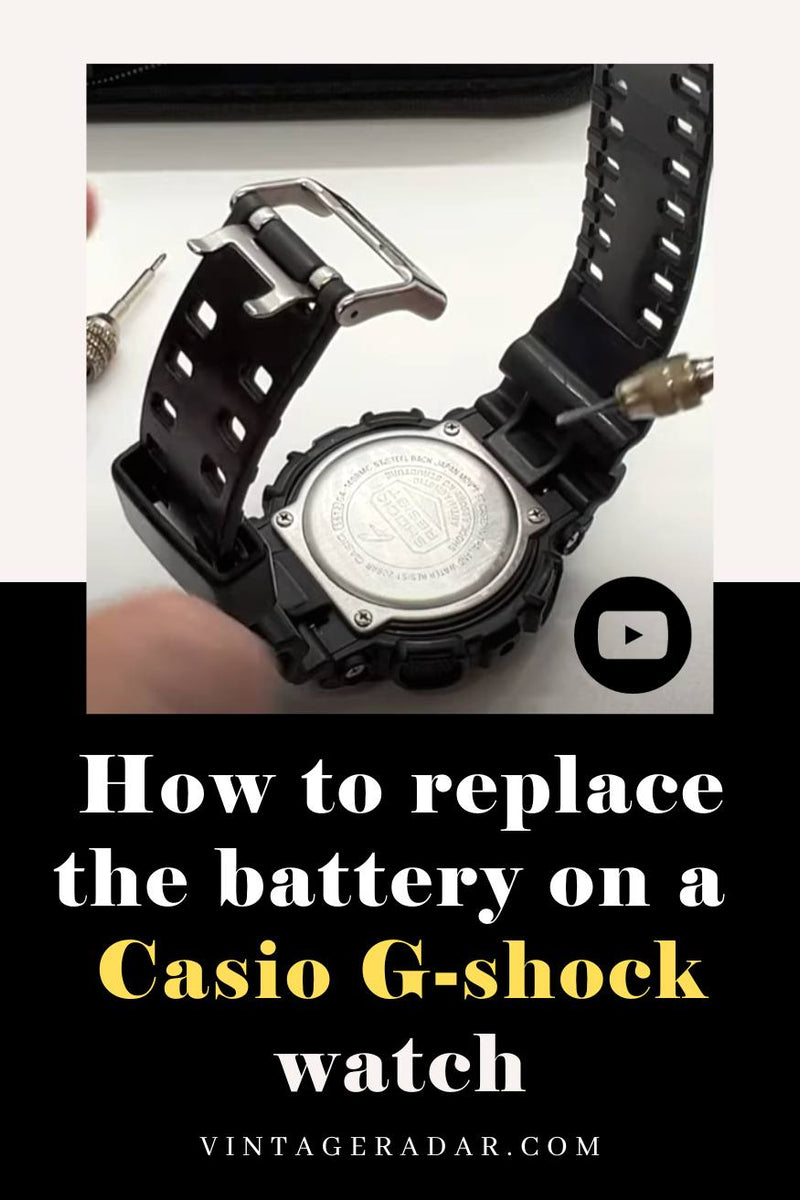
Tools and Parts You Need
To master how to change the battery on a Casio G-Shock watch, gather the right tools first. The job is simple when your setup is clean and complete.
- Small Phillips screwdriver size 00 for four-screw backs
- Case-back wrench for round screw-backs on select models
- Plastic or nylon tweezers to avoid shorting the battery
- Non-marring pry tool or toothpick for clips and tabs
- ESD-safe mat or wrist strap if you have one
- Soft brush and lint-free cloth for dust and grit
- Silicone grease for the case-back gasket
- Replacement battery correct for your module, for example CR2016, CR2025, or rechargeable CTL series on Tough Solar
- Small tray for screws and the gasket
Having these ready will save time and prevent mistakes when learning how to change the battery on a casio g-shock watch.

Identify Your G-Shock Model and Battery Type
Before you start, flip the watch and find the module number. It is a 3–4 digit code inside a small rectangle near the case back. This code points to the exact battery type and reset steps.
For non-solar models, common cells include CR2016 and CR2025. For Tough Solar, the part is a rechargeable secondary battery, often CTL1616 or CTL920. Never replace a solar rechargeable with a normal lithium coin cell.
If you are not sure how to change the battery on a casio g-shock watch for your exact module, look up the module number in a service manual or parts catalog.

Safety, Warranty, and Water Resistance Basics
Opening the watch may void a factory warranty or a water-resistance service warranty. Work slow, keep the area clean, and avoid metal-on-metal contact that can short the module.
If water resistance matters to you, inspect the gasket and the case back. Replace any cracked or flattened gasket. After you learn how to change the battery on a casio g-shock watch, get a pressure test from a pro if you swim or dive with it.

Step-by-Step: how to change the battery on a casio g-shock watch
The method below fits most four-screw and screw-back G-Shock models. Some models have guards or inner covers. Note small changes and keep parts in order.
1) Prepare the workspace
- Wash and dry your hands. Lay a lint-free cloth on a bright table.
- Set a small tray for screws. Keep dust away from the case.
2) Remove the case back
- If there are four small screws, remove them in a cross pattern. Lift the back gently.
- If it is a round screw-back, use a case-back wrench. Turn counterclockwise with steady pressure.
- Note the rubber cushion or metal inner cover. Set them aside in order.
3) Lift the insulator and find the battery clip
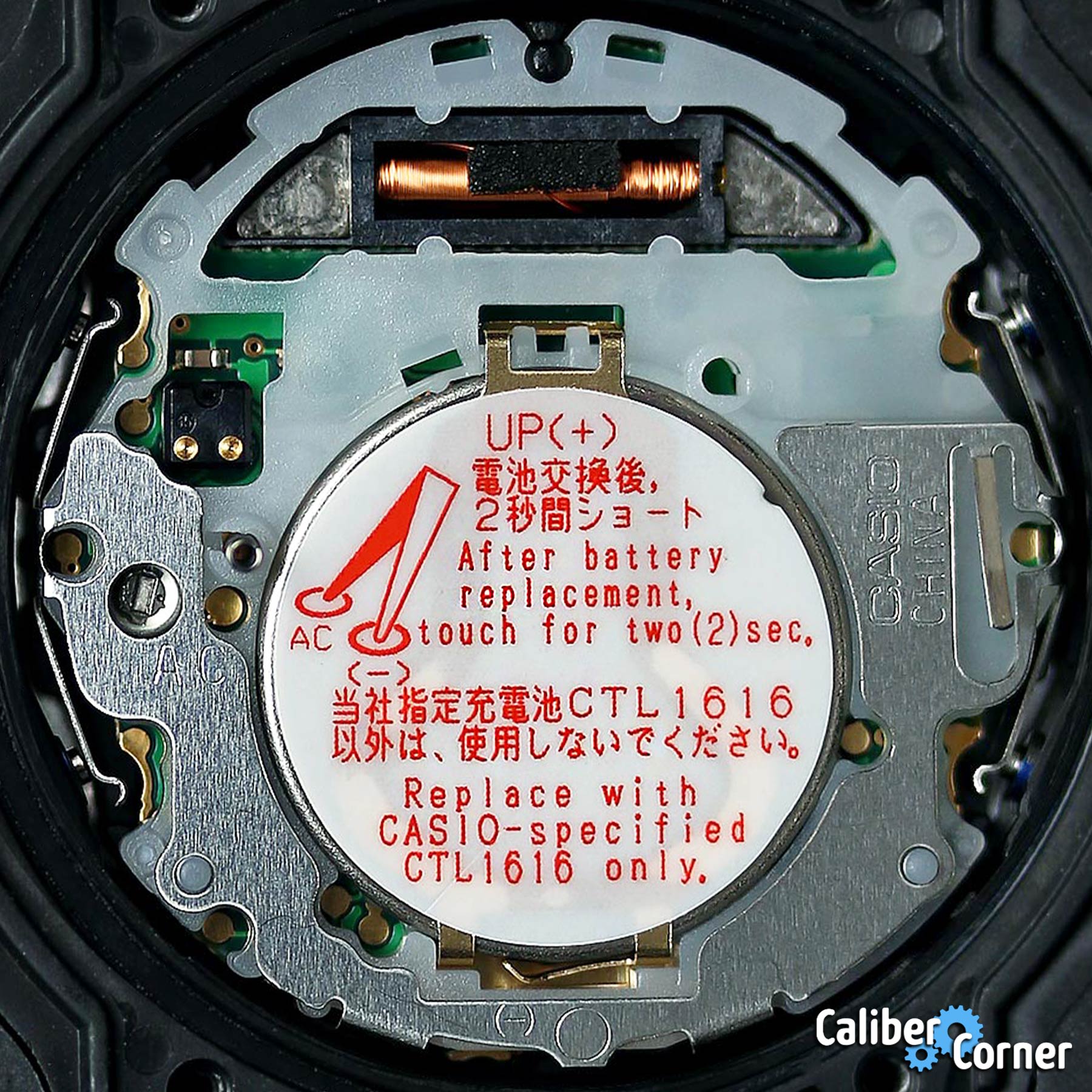
- You will see a thin plastic insulator or sticker. Gently lift a corner to reveal the battery clamp.
- The clamp is a spring or latch. Do not bend it too far.
4) Release the battery
- With a toothpick, push the latch to free the cell. Avoid scratching the circuit.
- Use plastic tweezers to lift the battery. Check polarity so you install the new one the same way.
5) Install the new battery
- Confirm the reference, for example CR2016 or CTL1616 for Tough Solar.
- Handle it by the edges. Push it flat under the clip until it clicks in place.
6) Perform the AC reset
- Find the AC pad near the battery. It is marked AC.
- Bridge AC to the positive side of the battery with metal tweezers for 2–3 seconds.
- The display should clear and come back. If not, repeat once.
7) Refit the insulator and reseal the case
- Place the plastic insulator back. Clean dust with a soft brush.
- Inspect the gasket. Lightly grease it with silicone. Seat it in the groove.
- Close the case back. Tighten screws in a cross pattern until snug. Do not over-tighten.
- For a screw-back, turn until you feel firm resistance, then a small nudge more.
You now know how to change the battery on a casio g-shock watch from start to finish. Give yourself a minute to test every button and feature before wearing it.
Resetting the Module and Restoring Functions
After a battery swap, the module needs a fresh start. This is where many people get stuck, even if they know how to change the battery on a casio g-shock watch.
- Set home city and 12/24-hour format.
- For radio-controlled models, set the time zone and let it sync overnight by a window.
- For analog-digital, run hand-set or hand re-center to align the hands to the digital time.
- Check alarms, hourly signal, backlight, and sensor screens where fitted.
If the display looks odd or the hands drift, repeat the AC reset and re-run the hand alignment.
Water Resistance, Gaskets, and Pressure Testing
Water resistance depends on a clean seal, a healthy gasket, and correct closing torque. Even if you master how to change the battery on a casio g-shock watch, a worn gasket can let in fog.
- Clean hair, sand, and lint from the groove and case back.
- Lightly grease the gasket with silicone. Do not stretch it.
- If you swim, surf, or dive, get a pressure test after the job. Shops with a wet or dry tester can verify the rating.
If you see fog under the crystal after a shower, open the case in a dry spot, replace the gasket, and get a test done.
Troubleshooting After a Battery Change
Small slips can happen. Here are fixes based on real bench work.
- Blank display after install: The AC reset was missed or the battery is upside down. Do the reset and confirm polarity.
- Flicker or reset on button press: The clip is loose. Reseat the cell and tighten the latch.
- Buttons feel sticky: Clean mud guards and button tubes with a soft brush.
- Time drifts or hands misaligned: Run the hand alignment again.
- Backlight dead: Check the insulator placement and contact springs.
These quick checks solve most issues people face when learning how to change the battery on a casio g-shock watch.

Maintenance Tips and Battery Life
Battery life for non-solar G-Shock models is often 2–5 years. Heavy use of alarms, light, and sensors shortens that span. Tough Solar models can run for many years, but their rechargeable cells can age and need a swap.
- Use the light button only as needed.
- Turn off hourly chime and extra alarms if you want longer life.
- Keep the watch clean. Dirt on gaskets and buttons speeds wear.
- For solar, charge by a window. Avoid high heat on a dash.
Build a simple record of change dates. It helps you plan when thinking about how to change the battery on a casio g-shock watch again.
Cost, Time, and When to Hire a Pro
A DIY battery and gasket cost is often 5–20 dollars. Time is 20–40 minutes if you have tools. Pro service can cost more, yet includes a seal check and a pressure test.
Hire a pro if the back is seized, the gasket is torn and hard to source, or the model is a high-end diver that you use in the water. If you want to learn how to change the battery on a casio g-shock watch but keep full water rating, ask for a pressure test after the work.
Frequently Asked Questions of how to change the battery on a casio g-shock watch
What battery does my G-Shock use?
Check the module number on the case back and match it to the correct cell. Many use CR2016, while solar models use CTL rechargeable types.
Do I need to short the AC pad every time?
Yes, most modules need an AC reset after a swap. It clears errors and brings the display back to life.
Will I lose water resistance if I open the back?
You can keep the seal if the gasket is healthy and greased, and you close it cleanly. For swimming or diving, get a pressure test.
Can I replace a Tough Solar battery with a normal coin cell?
No, never. Solar models use rechargeable secondary cells and need the exact CTL type.
Why is my display still blank after installing the new battery?
Check polarity, reseat the cell, and do the AC reset again. Also confirm the insulator is not blocking contacts.
How often should I change the gasket?
Inspect it at each battery change. Replace it if it is flat, cracked, or sticky.
Conclusion
Changing a G-Shock battery is a clean, careful job that rewards patience. With the right tools, a fresh gasket, and the AC reset, you can protect your watch and keep perfect time. Start by identifying your module, follow the steps, and test every function.
If this guide helped you learn how to change the battery on a casio g-shock watch, take action today. Gather your tools, set up a clean space, and bring your G-Shock back to life. Want more practical watch care tips? Subscribe, share this guide, or leave a question and I will help you out.