

Press Mode to Alarm, select the alarm or SIG, then press Start/Stop to turn it off.
If you want a clear, step-by-step guide on how to turn off alarm on Casio, you are in the right place. I have worked with many Casio models over the years.
I know their small quirks and button names. This guide breaks it all down in simple steps. You will learn fast, with exact moves for both classic and modern Casio watches.
Identify your Casio model and button layout
Casio uses a few common layouts. The button names may differ by model. Knowing your layout first will save you time and guesswork.
Common button names and spots:
- Adjust. Usually top left. Used to enter or save settings.
- Mode. Usually bottom left. Used to cycle through modes like Time, Alarm, Timer.
- Start/Stop. Often top right. Used to toggle alarms on or off.
- Split/Reset or Search. Often bottom right. Used to move between items.
- Light. Often top left or top right. Used for backlight only on many models.
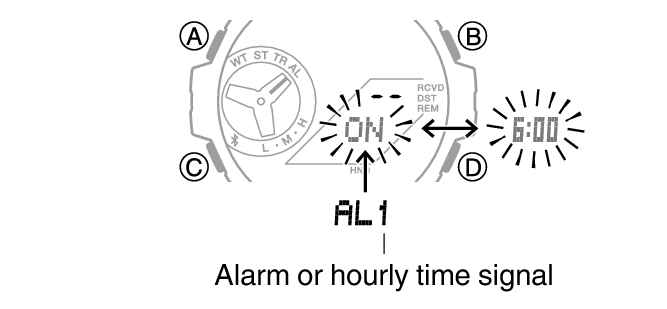
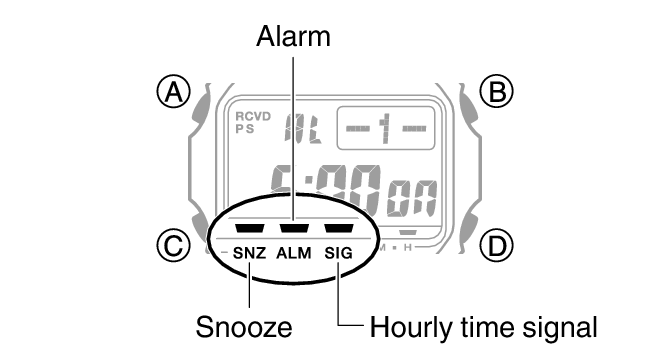
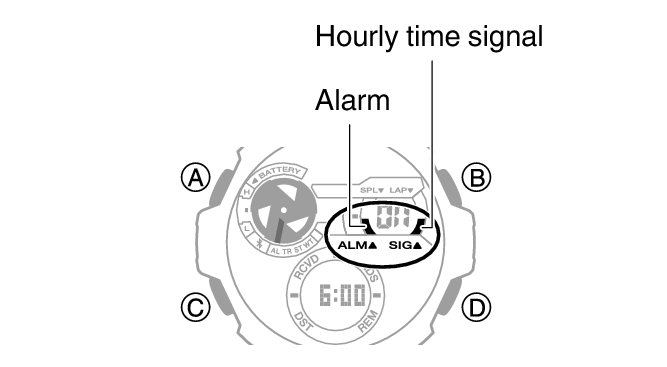
If you see ALM or SIG icons on the screen, it means an alarm or hourly chime is active. The goal is to enter the Alarm mode, select the item, and toggle it off. This same flow works for most Casio, G-Shock, Baby-G, Edifice, and Pro Trek.
Quick steps: how to turn off alarm on Casio (works on most models)
Use these steps first. They fit most Casio digital watches.
- Press Mode until you reach Alarm mode. You may see AL, ALM, or a list like AL1, AL2, SNZ, SIG.
- Use the bottom right button to move between alarms. Stop when you reach the target alarm or SIG.
- Press the top right button to toggle the alarm on or off. Watch the ALM or SIG icon. If the icon is gone, it is off.
- Press Mode to return to Timekeeping.
Tips:
- If there are many alarms (AL1, AL2, AL3), turn off each one you do not want.
- SNZ is snooze. Turn that off to stop repeat alarms.
- SIG is the hourly time signal. Turn that off to stop the hourly beep.
This is the fastest way to learn how to turn off alarm on Casio. It also covers most G-Shock units.
Model-specific instructions you can trust
Casio button names vary a bit. Here are clear paths for popular models I have used and tested. This section will help you master how to turn off alarm on Casio even when labels differ.
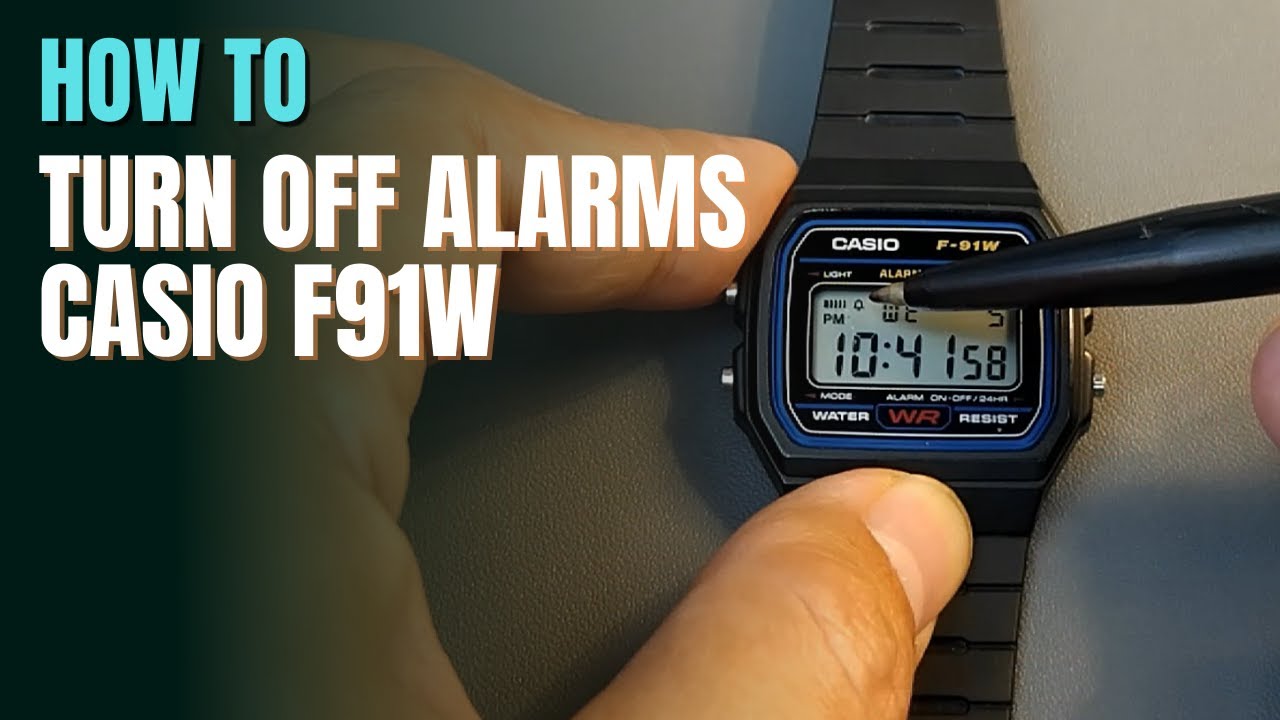
Classic Casio F-91W and similar three-button models
- Press Mode until you see the Alarm screen.
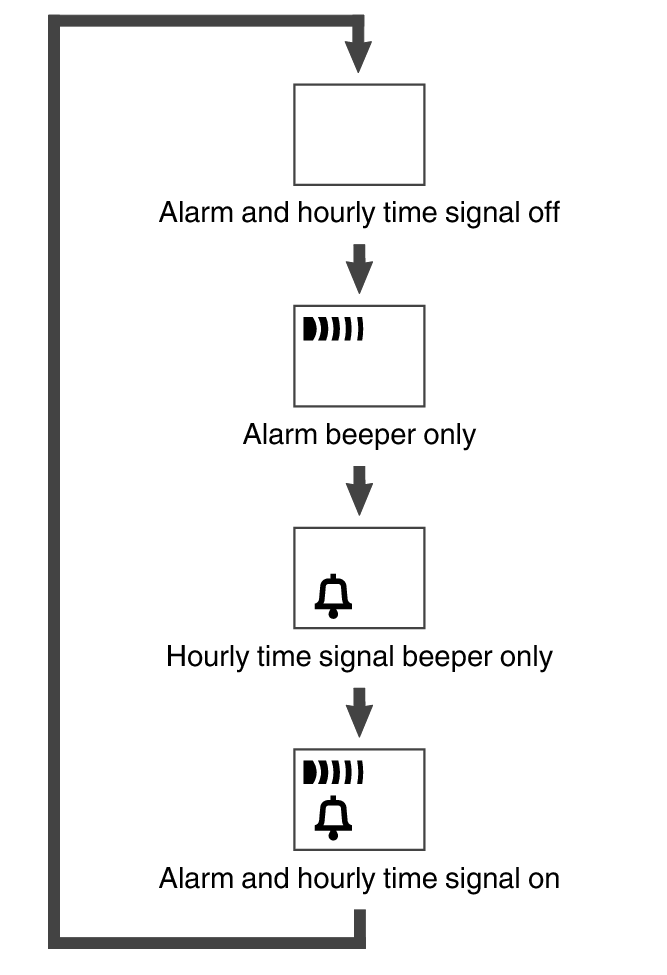
- Press the bottom right button to cycle alarm and chime states. Keep pressing until both icons are off.
- Press Mode to exit.
Notes:
- The bottom right button controls both the alarm and hourly signal. Watch for both icons to clear.
AE-series (AE-1200 “Casio Royale,” AE-1000, AE-1500)
- Press Mode to reach Alarm mode. You will see AL1, AL2, AL3, AL4, AL5, and SIG.
- Use the bottom right button to select the alarm or SIG.
- Press the top right button to toggle on or off. Make sure the ALM or SIG icon vanishes.
- Press Mode to exit.
G-Shock square and analog-digital (DW-5600, GA-2100, GA-100, etc.)
- Press Mode until ALM appears.
- Use the bottom right button to scroll alarms: AL1, AL2, AL3, AL4, SNZ, SIG.
- Press the top right button to toggle the selected item on or off. Confirm icons go off.
- Press Mode to return to Timekeeping.
Tip:
- On many G-Shock, the top left button (Adjust) is for editing times. You do not need it to simply turn alarms off.
Pro Trek and Edifice digital or ana-digi
- Press Mode to Alarm mode.
- Use the bottom right button to choose the alarm or SIG.
- Press the top right button to toggle the item off.
- Press Mode to exit.
Baby-G digital
- Press Mode to Alarm mode.
- Use bottom right to select AL1, AL2, SNZ, or SIG.
- Press top right to toggle off, then return with Mode.
Once you learn this pattern, how to turn off alarm on Casio will feel the same across lines. You will do it by muscle memory.

Turn off hourly signal and snooze for good
Many people ask how to turn off alarm on Casio when they mean the hourly beep or snooze. Here is how to silence both.
Hourly signal (SIG):
- Enter Alarm mode with Mode.
- Select SIG using the bottom right button.
- Press the top right button to turn SIG off. The SIG icon must be gone.
Snooze (SNZ):
- Enter Alarm mode.
- Select SNZ using the bottom right button.
- Press the top right button to turn SNZ off. Make sure the SNZ icon or label is not shown.
Notes from long use:
- Snooze will keep ringing every few minutes if left on. Turn SNZ off to stop repeats.
- On some models, SIG is separate from alarms. You must turn it off by itself.
If you follow these steps, you have mastered how to turn off alarm on Casio and stop hourly chimes.
Stop a ringing alarm right now
If your watch is ringing as you read this, do this quick fix.
- Press any button to silence the current ring. That stops it for now.
- To stop it from coming back, turn the alarm off in Alarm mode.
- If snooze is on, it may ring again. Turn off SNZ in Alarm mode.
This is the fastest live answer for how to turn off alarm on Casio during an active alert.
Troubleshooting and pro tips
Here are common issues I see and simple fixes. These come from real-world use and many user questions.
- You do not see the ALM icon. The alarm is already off. Check SIG and SNZ too.
- You turned off one alarm, but it still rings later. Many models have 3 to 5 alarms. Turn them all off.
- You cannot enter Alarm mode. Hold Mode a bit longer, or cycle through all modes. Make sure you are not in a setting screen.
- The analog hands keep pointing to a past alarm time. On some ana-digi models, alarms still work by digital time only. Turn off ALM and SNZ to stop rings.
- The buttons have different names. Look for Mode, Adjust, and two right-side buttons. The right buttons usually toggle items or move the cursor.
- The alarm rings at the wrong time. Check your home city, DST, and 12/24-hour format in Timekeeping.
Backed by Casio manuals and user guides, these steps reflect how to turn off alarm on Casio the correct way.
Best practices to avoid surprise beeps
A few simple habits will keep your watch quiet when you need it.
- Review alarms weekly. Clear AL1 to AL5, SNZ, and SIG if you do not need them.
- Use one daily alarm only. It is easier to manage and toggle.
- Turn off snooze if you do not want repeats.
- Learn your watch’s icon map. ALM, SNZ, and SIG icons tell you what is active at a glance.
- Save a snapshot of your manual. You can find it with the four-digit module number on the case back.
Follow these and you will not need to search how to turn off alarm on Casio again.

Frequently Asked Questions of how to turn off alarm on casio
How do I know if the alarm is off on my Casio?
Check the screen for the ALM icon. If you do not see ALM, the alarm is off.
How do I turn off the hourly chime on a Casio watch?
Go to Alarm mode, select SIG, then press the top right button to toggle it off. The SIG icon must be gone.
Why does my alarm keep ringing even after I stop it?
You likely have snooze on or more than one alarm set. Turn off SNZ and check AL1 to AL5.
How do I turn off alarm on Casio G-Shock specifically?
Enter ALM mode, choose the alarm with the bottom right button, then press the top right button to switch it off. Repeat for SIG and SNZ.
Can I mute all sounds without turning off alarms one by one?
Some models have a button mute that silences button tones only. You still need to turn off alarms and SIG in Alarm mode.
What if my Casio has different button labels?
Find Mode to enter Alarm mode, then use the two right buttons to select and toggle. This pattern works on most models.
Conclusion
You now know how to turn off alarm on Casio with fast, clear steps. Go to Alarm mode, pick the alarm, and toggle it off. Do the same for SIG and SNZ to stop hourly beeps and snooze repeats. This simple flow works on F-91W, AE-series, G-Shock, Baby-G, Pro Trek, and Edifice.
Put this guide to use today. Test each alarm, clear the icons, and enjoy a quiet watch. Want more tips like how to turn off alarm on Casio and master hidden features? Subscribe, share this guide, or leave a question and I will help.